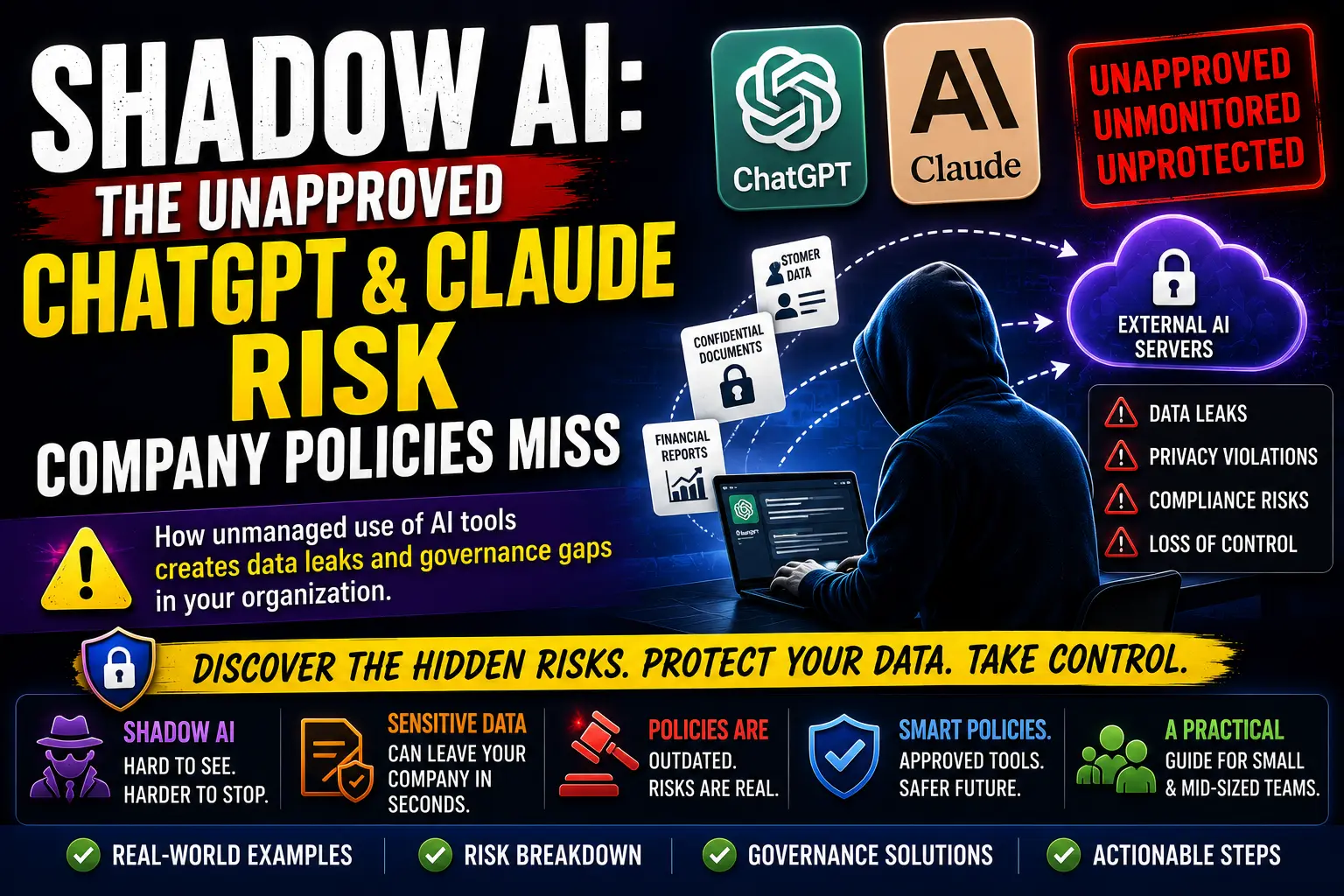
Shadow AI: The Unapproved ChatGPT & Claude Risk Company Policies Miss
How unmanaged employee use of generative AI tools creates data-leak and governance gaps, and what small and mid-sized teams can do about it.
What Is Shadow AI?
Shadow AI is the use of artificial intelligence tools for company work outside the oversight, approval, or awareness of the people responsible for security, privacy, and compliance. It is not simply "using AI." An employee who uses an approved enterprise account through a sanctioned workflow is not creating Shadow AI. The problem appears when someone pastes customer data into a personal ChatGPT account, asks Claude to summarize a confidential contract, or installs an AI meeting bot that records calls without review.
The core issue is governance, not the model. A tool can be perfectly capable and still represent risk when the organization cannot see, audit, or control what is being sent to it.
Why Shadow AI Is Growing
Several ordinary workplace forces push Shadow AI upward, and none of them require bad intent:
- Free tools are one click away. ChatGPT, Claude, and Gemini are reachable from a browser with no procurement step.
- Pressure to move faster. Employees under deadline pressure look for any edge, including AI summarizers and coding assistants.
- No approved alternative exists. When IT has not provided a sanctioned tool, people supply their own.
- Slow procurement. A tool can take months to clear legal and security review while the work cannot wait.
- Unclear policy. Many acceptable-use policies were written before generative AI existed and say nothing about prompt input.
- Built-in AI features. AI is now embedded in tools people already use for email, documents, design, and meetings, sometimes without a clear opt-in.
Shadow AI vs. Shadow IT
Shadow AI is often confused with Shadow IT, but the distinction matters for how you govern it.
| Dimension | Shadow IT | Shadow AI |
|---|---|---|
| What it is | Unapproved software, accounts, or infrastructure. | Unapproved use of AI tools, often through approved or personal accounts. |
| Main risk | Unsupported systems, weak access control. | Sensitive data sent to external models with unclear retention. |
| Visibility | Often visible in network and SaaS logs. | Hard to see; prompts leave the perimeter silently. |
| Data exposure | Stored in a known system. | Sent to a model that may log, retain, or train. |
| Decision impact | Operational and cost risk. | Can affect legal, hiring, financial, and security decisions. |
| Ease of detection | Moderate with CASB and SaaS discovery. | Difficult without DLP, browser, or endpoint controls. |
| Example tools | Unsanctioned project trackers, cloud drives. | Personal ChatGPT, Claude, Copilot, AI note-takers, browser extensions. |
| Governance approach | Approve, consolidate, SSO. | Data rules, account requirements, human review. |
Where Shadow AI Appears Inside a Company
Shadow AI is not limited to engineering. It shows up across functions:
- Software development: AI coding assistants suggesting code from proprietary repositories.
- Customer support: Agents pasting tickets into chatbots to draft replies.
- Sales: Summarizing deal notes or generating outreach with customer names included.
- Marketing: AI design and copy tools fed with unreleased campaign details.
- HR: Using AI to screen resumes or draft performance feedback.
- Finance: Asking a model to analyze financial reports or forecasts.
- Legal: Summarizing contracts that may carry privilege.
- Operations and product: Feeding strategy docs or roadmap items into general-purpose chatbots.
- Executive teams: Using personal AI assistants for scheduling and note-taking on sensitive matters.
The Most Common Shadow AI Risks
These risks are well documented in guidance from NIST, OWASP, ISACA, and the Cloud Security Alliance. They are categorized here as confirmed or likely risks that depend on the tool, account type, configuration, and data entered.
- Sensitive data leakage when prompts include customer, employee, or financial information.
- Source-code exposure through AI coding assistants or chat-based code review.
- Intellectual-property loss when unreleased materials are uploaded.
- Credential leakage from pasting tokens, keys, or passwords by mistake.
- Confidential contract exposure to models without contractual protection.
- Regulated-data processing such as health, payment, or personal data sent to consumer plans.
- Inaccurate outputs used for decisions without human review.
- Copyright and licensing concerns from AI-generated content.
- Vendor retention and training policies that differ by plan.
- Third-party plugin access that reaches data the employee did not intend to share.
- Loss of auditability when decisions are made through tools no one can review.
What Employees Commonly Paste Into AI Tools
The risk is rarely the model. It is the content. Common inputs include customer emails, support tickets, source code, database schemas, API responses, error logs, contracts, financial reports, employee records, sales pipelines, strategy documents, meeting transcripts, and, by mistake, credentials or tokens.
Most Shadow AI incidents are not attacks. They are well-meaning employees trying to do good work with tools the organization never reviewed.
Why Existing Acceptable-Use Policies Often Fail
Traditional policies usually address personal devices, cloud storage, email, USB drives, social media, and software installation. They frequently omit the things that actually matter for AI:
- Prompt input and AI file uploads.
- AI browser extensions and built-in assistant features.
- Model memory and saved chat history.
- AI-generated decisions and automated agent actions.
- Code assistants and meeting transcription bots.
- Use of personal AI accounts for work tasks.
AI Account and Deployment Options
Privacy and data-handling terms vary significantly by account and deployment type. The table below summarizes the general posture described in current vendor documentation.
| Option | Admin controls | Audit logs | Retention control | Identity management | Vendor contract | Best use case |
|---|---|---|---|---|---|---|
| Personal account | None | No | Minimal | None | Consumer terms | Personal, non-work use only. |
| Free business tool | Limited | Rare | Vendor default | Sometimes | Free tier terms | Public, non-sensitive tasks. |
| Team or business account | Moderate (SSO, admin console) | Sometimes | Usually improved | SSO, MFA | Business terms | General internal work. |
| Enterprise account | Strong (SCIM, RBAC, EKM) | Yes | Configurable, often ZDR | SSO, SCIM | Custom commercial terms, BAA possible | Sensitive or regulated work. |
| API-based deployment | Developer-controlled | Configurable | Zero-retention options | Key-based, SSO via proxy | API terms, DPA | Embedded, governed applications. |
| Self-hosted model | Full | Full | Full | Internal IAM | Internal | Maximum control requirements. |
Important: OpenAI states it does not train on business data by default for ChatGPT Business, Enterprise, Edu, and API use. Anthropic states consumer plans (Free, Pro, Max) introduced an opt-in for model training in 2025 with extended retention, while Claude for Work, Government, Education, and API use are not trained on by default. Enterprise branding does not remove every risk; contract terms, configuration, and data entered still determine exposure.
A Practical Shadow AI Risk Classification Model
Small teams can apply a simple four-tier model:
- Low risk: Brainstorming, public-content summarization, grammar correction, generic code explanation using no internal data.
- Moderate risk: Drafting internal outlines, summarizing approved internal knowledge, explaining non-sensitive test data on an approved business account.
- High risk: Analyzing customer data, source-code assistance on proprietary repos, financial or legal document analysis, meeting transcription of confidential calls.
- Prohibited: Any use involving credentials, regulated data, or privileged material, or any use on a personal account for work.
What Should Be Prohibited
The prohibited list should reflect the organization and its legal obligations, but commonly includes credentials, private keys, authentication tokens, unreleased source code where not approved, customer personal data, health information, payment-card data, legally privileged material, merger or acquisition information, security-incident details, employee disciplinary records, and trade secrets.
What Can Usually Be Allowed With Controls
- Brainstorming and outline drafting.
- Public-content summarization and grammar correction.
- Generic code explanation with no proprietary context.
- Queries against public documentation.
- Use of non-sensitive test data on approved accounts.
- Approved internal knowledge systems with access controls.
The Minimum Viable Shadow AI Policy
A usable policy needs only a few elements:
- An approved tool list.
- A prohibited-data list.
- Allowed use cases and required human review.
- Account requirements (no personal accounts for work).
- File-upload and browser-extension rules.
- Code-assistant rules.
- An incident-reporting process.
- A vendor-review process.
- Retention expectations.
- A clear, consistent enforcement approach.
Governance Playbook for Small Teams
- Discover current usage. Survey teams and review browser, endpoint, and network logs.
- Identify sensitive workflows. Map where customer, financial, or regulated data flows.
- Approve a small toolset. One or two business accounts beat a long banned list.
- Create simple data rules. Plain-language prohibited categories.
- Require business accounts. No personal ChatGPT or Claude for work.
- Disable risky plugins. Review extension permissions in browsers.
- Add SSO where possible. Centralize identity and offboarding.
- Create logging and auditability. Know what was used and by whom.
- Train employees. Make the policy practical, not scary.
- Review usage regularly. Monthly is reasonable for small teams.
- Update contracts and vendor assessments. Capture data terms in writing.
- Create an incident process. So people report mistakes instead of hiding them.
Technical Controls That Can Help
No single control solves Shadow AI. Each has limits:
- SSO and SCIM: Improve identity control but do not stop personal accounts on phones.
- Role-based access control: Limits who reaches sensitive systems, not what they paste.
- Data-loss prevention (DLP): Can flag sensitive content but needs tuning to avoid noise.
- CASB and SaaS discovery: Reveal sanctioned and unsanctioned cloud use; blind to encrypted or mobile traffic.
- DNS filtering and secure web gateways: Can block known AI domains; users find mirrors or apps.
- Browser and device management: Controls managed browsers; personal devices evade it.
- Secrets scanning and source-code scanning: Catch leaked tokens and risky commits.
- AI usage monitoring and enterprise browser controls: Emerging category, still maturing.
Why Blocking Every AI Tool Usually Fails
A total ban often backfires. Users move to personal devices, mobile apps bypass network controls, productivity pressure remains, and hidden usage becomes harder to detect than managed usage. The company loses visibility exactly when it needs it most. A balanced approach, approved tools plus clear boundaries, keeps work visible and reduces risk.
How to Review an AI Vendor
Use a consistent checklist before approving a tool:
- Data usage and model-training terms.
- Retention and deletion guarantees.
- Encryption in transit and at rest.
- Access control and SSO support.
- Audit-log availability.
- Subprocessors and data residency.
- Incident-response commitments.
- Compliance certifications (SOC 2, ISO 27001, ISO 42001).
- API security and plugin permissions.
- Contractual protections such as a DPA or BAA where relevant.
Shadow AI Incident Response Checklist
- Identify what data was shared.
- Determine which tool and account were used.
- Review chat or upload history where possible.
- Revoke any exposed credentials immediately.
- Contact the vendor where appropriate.
- Preserve evidence for review.
- Notify legal, privacy, or security teams.
- Assess customer or regulatory impact.
- Document corrective actions.
- Update training and policy.
Shadow AI Policy Template Outline
Small teams can adapt this structure:
1. Purpose: safe, productive AI use.
2. Approved tools: named business accounts only.
3. Prohibited data: credentials, regulated, privileged.
4. Allowed use cases: with human review.
5. Account rules: no personal accounts for work.
6. Extension and plugin rules.
7. Code-assistant rules.
8. Reporting: how to report mistakes.
9. Review cadence: monthly.
10. Owner: named role, not just "IT."
Metrics Teams Should Track
- Number of approved AI tools.
- Number of discovered unapproved tools.
- Percentage of employees on approved accounts.
- AI-related security incidents.
- Policy acknowledgements.
- Training completion.
- Vendor reviews completed.
- Risk exceptions and sensitive-data violations.
- High-risk use cases under review.
Common Mistakes
- Writing a policy nobody understands.
- Banning AI without offering alternatives.
- Treating all AI tools as identical despite different plan terms.
- Ignoring browser extensions and meeting bots.
- Allowing personal accounts for work.
- Failing to classify data before writing rules.
- Relying only on training instead of controls.
- Collecting logs without reviewing them.
- Assuming enterprise branding guarantees security.
- Forgetting contractors and freelancers.
Frequently Asked Questions
Is using ChatGPT at work automatically a security risk?
No. Risk depends on the account type, configuration, and what data is entered. A sanctioned business or enterprise account with proper terms is far lower risk than a personal account.
Is Claude safer than ChatGPT?
Neither is "safe" or "unsafe" by brand. Both offer consumer and commercial plans with different data terms. Compare the specific plan and contract, not the product name.
Can employees use free AI tools for public information?
Generally yes, when the content is truly public and non-sensitive, but a business account is still preferable for consistency and oversight.
How can a company detect Shadow AI?
Through SaaS discovery, CASB, DNS and network logs, browser management, endpoint monitoring, and periodic employee surveys.
Should all AI tools be blocked?
Usually not. Blocking pushes usage underground and reduces visibility. Approved tools plus clear rules work better.
What data should never be pasted into an AI chatbot?
Credentials, keys, tokens, customer personal data, health and payment data, privileged legal material, and unreleased proprietary information.
Are enterprise AI plans completely private?
They offer stronger controls, audit logs, and contractual protection, but privacy still depends on configuration and the data entered. Enterprise does not mean risk-free.
Does Shadow AI violate GDPR?
It can, if personal data is sent to a tool without a lawful basis, adequate controls, or a vendor agreement. This is general guidance, not legal advice.
How often should an AI policy be reviewed?
At least quarterly, and whenever a new tool, regulation, or incident changes the landscape.
Who should own AI governance in a small company?
A named owner, often security, IT, or operations, working with legal, privacy, HR, and business leaders.
Final Verdict
Shadow AI is not a reason to fear generative AI. It is a reason to govern it. The organizations that do well are not the ones that ban the most tools, but the ones that approve a small set of safe options, set plain-language data rules, require business accounts, and keep usage visible. Small and mid-sized teams do not need an enterprise platform to make real progress; they need a policy people understand, a vendor checklist, and a monthly review habit.
Key Takeaways
- Shadow AI is a governance gap, not a model problem.
- Plan terms differ sharply: consumer, free, business, enterprise, API, and self-hosted each carry different privacy and data-handling commitments.
- Enterprise branding does not remove every risk; configuration and data entered still matter.
- Blocking everything usually reduces visibility rather than eliminating usage.
- Human review remains essential for legal, financial, hiring, security, and medical decisions.
- Small teams can start now with an approved tool list, data rules, business accounts, and a monthly review.
- Frameworks such as the NIST AI RMF, OWASP LLM Top 10, and ISO 42001 provide proven structure for governance.
References
- NIST AI Risk Management Framework (AI RMF 1.0)
- OWASP Top 10 for LLM Applications
- CISA Artificial Intelligence Security Guidance
- ISO/IEC 42001:2023 AI Management System
- OpenAI Enterprise Privacy
- OpenAI Business Data Privacy, Security, and Compliance
- Anthropic Claude for Work and Data Controls
- ISACA: The Rise of Shadow AI
- Cloud Security Alliance
- UK ICO Guidance on AI and Data Protection
- European Data Protection Board AI Guidance
- EU AI Act Resources
Comments
0 comments
No comments yet
Start the discussion with a thoughtful note.