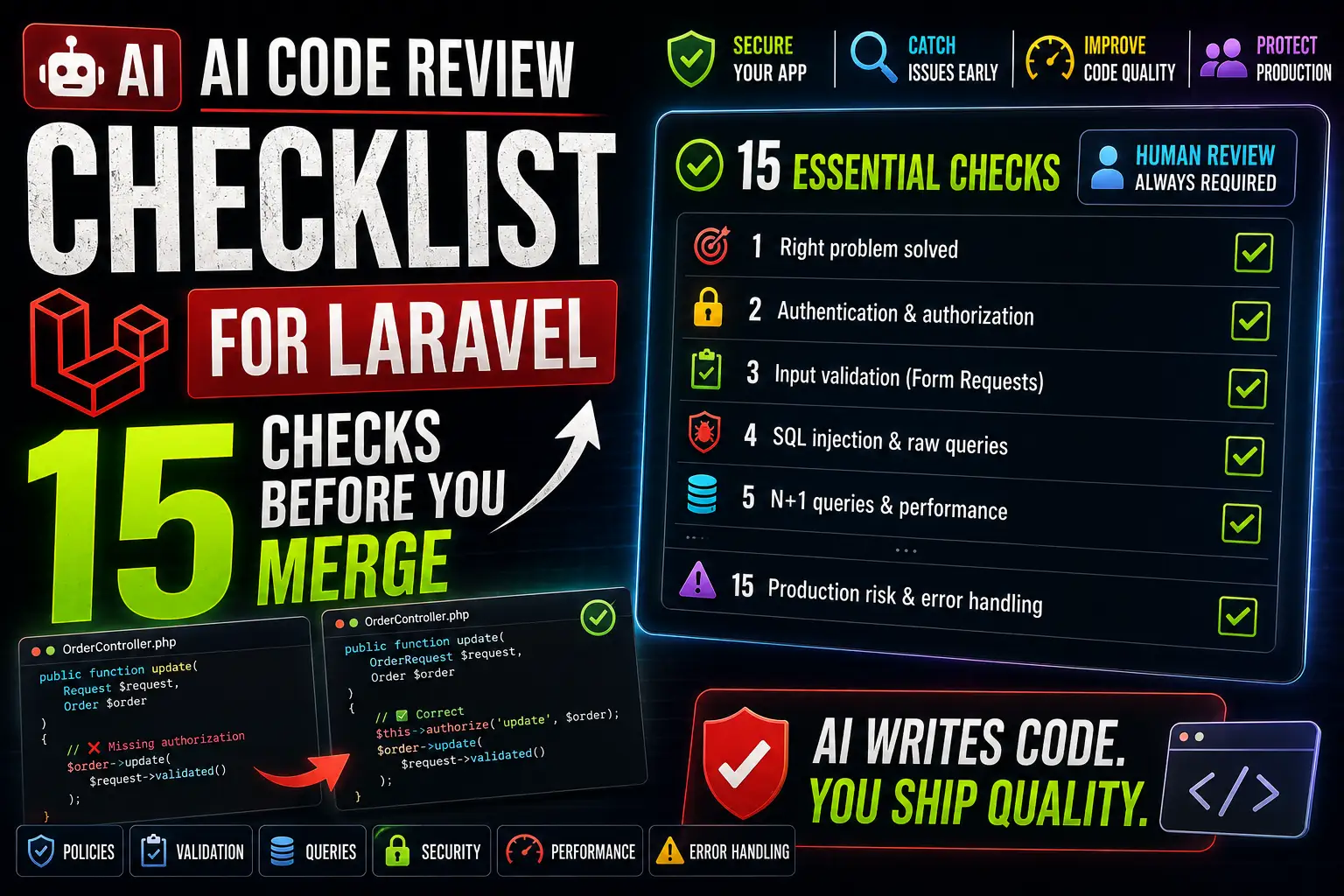
AI Code Review Checklist for Laravel: 15 Checks Before You Merge
AI coding assistants have become a genuine part of the Laravel development workflow. They write migrations, scaffold controllers, generate Eloquent relationships, and produce test cases at a pace no developer can match manually. What they don't do is understand your product requirements, your security context, or the specific business rules your application needs to enforce. That gap is where merges go wrong. This checklist exists to close it — a structured set of 15 checks every developer should run before merging AI-generated or AI-assisted Laravel code into a shared branch.
The central principle: AI is an excellent first reviewer. It is never the final reviewer.
Why AI-Generated Laravel Code Still Needs Human Review
AI coding tools are trained on patterns, not on intent. They produce code that is syntactically correct and often architecturally reasonable, but they don't know your specific domain, your database schema's edge cases, your multi-tenant isolation requirements, or the business decision behind a particular validation rule. The code may pass your test suite and still implement the wrong behavior, expose a resource it shouldn't, or carry a subtle security flaw that only manifests under specific conditions.
The most dangerous AI code is code that looks complete. A confident, well-formatted controller with clean variable names and accurate comments can still contain a missing authorization check, an N+1 query inside a loop, or a Form Request that validates format but not ownership. Human review catches what pattern-matching misses.
How to Use This Laravel Code Review Checklist
Work through each check in sequence on the Git diff of the changes being reviewed. Some checks — particularly those involving business logic, authorization, and production risk — always require human judgment. Others, like detecting N+1 queries or reviewing validation rules, can be assisted by prompting an AI tool directly. Where AI assistance is useful for a specific check, this guide notes it explicitly.
| Review Category | AI Can Help | Human Review Required |
|---|---|---|
| Spotting N+1 queries | Effectively | Confirm in context |
| Identifying missing validation | Reasonably well | Verify business rules |
| Reviewing raw SQL safety | Yes, reliably | Always verify manually |
| Business logic correctness | Limited | Always |
| Authorization and ownership | Limited | Always — critical |
| Architecture decisions | Suggestions only | Always |
| Production risk assessment | Not reliably | Always |
The 15 Laravel Code Review Checks
1. Does the Code Actually Solve the Right Problem?
Start here. AI generates code based on the prompt it received, which may not have fully captured the actual requirement. Before reviewing anything else, verify that the code implements the intended behavior — including edge cases, error states, and unusual inputs — not just the happy path described in the ticket.
Ask: What happens when the input is empty? What happens at the boundary of a numeric range? What happens when a related record doesn't exist? AI-generated code frequently handles the expected case well and ignores the rest.
2. Authentication and Authorization
Critical check. Never skip this one. Authentication confirms who a user is. Authorization determines what they're permitted to do. AI-generated controllers frequently handle authentication correctly (checking auth()->check() or using the auth middleware) but miss the authorization layer entirely — particularly when accessing or modifying specific resources.
// Missing authorization — any authenticated user can update any order
public function update(Request $request, Order $order)
{
    $order->update($request->validated());
    return response()->json($order);
}

// Correct — policy enforces ownership before update
public function update(OrderRequest $request, Order $order)
{
    $this->authorize('update', $order);
    $order->update($request->validated());
    return response()->json($order);
}
Check that Policies, Gates, and middleware are applied where the logic requires them. Verify that every resource-level operation includes an ownership or permission check.
3. Input Validation
Check that all incoming data is validated before it reaches the application layer. Form Requests are the preferred Laravel approach — they isolate validation logic, support authorization, and can be unit-tested independently. Verify that required fields are marked as required, that data types are enforced, that file upload constraints are present, and that API input is validated at the controller entry point rather than deep in a service.
Common AI mistake: Generating validation rules that check format (email format, URL format) but don't check ownership or existence of related records — for example, validating that an order ID is numeric but not that the order belongs to the authenticated user.
4. SQL Injection and Database Query Safety
Laravel's Query Builder and Eloquent protect against SQL injection in most cases by using parameter binding automatically. Vulnerabilities appear when AI introduces raw SQL expressions using whereRaw, DB::raw, or DB::statement and places user-controlled input directly into the expression string.
// Vulnerable — user input concatenated into raw SQL
$results = DB::select("SELECT * FROM orders WHERE status = '{$request->status}'");

// Safe — parameter binding
$results = DB::select("SELECT * FROM orders WHERE status = ?", [$request->status]);

// Safer still — use Eloquent or Query Builder where possible
$results = Order::where('status', $request->status)->get();
Search the diff for whereRaw, DB::raw, and DB::select. Any occurrence that includes a variable interpolated from a request should be flagged and reviewed manually.
5. Mass Assignment Vulnerabilities
Mass assignment occurs when request data is passed directly into a model's create() or update() call without filtering. AI-generated code frequently uses $request->all() without considering which fields should be fillable. A user who adds role=admin or is_verified=true to a request body can escalate privileges if the model doesn't protect against it.
// Vulnerable — any request field can overwrite any model attribute
User::create($request->all());

// Safe — only explicitly allowed fields are fillable
// In the User model:
protected $fillable = ['name', 'email', 'password'];

// In the controller — use validated() or only()
User::create($request->validated());
// or
User::create($request->only(['name', 'email', 'password']));
Verify that $fillable is explicitly defined on every model that accepts mass assignment, and that controllers pass only validated or explicitly filtered data.
6. N+1 Queries and Eager Loading
N+1 query problems are one of the most common performance issues in Laravel codebases, and one of the areas where AI review assistance is genuinely useful. The pattern appears when a collection is loaded and then a relationship is accessed on each item inside a loop, producing one query per item rather than one query for the whole collection.
// N+1 problem — produces one query per post to fetch the author
$posts = Post::all();
foreach ($posts as $post) {
    echo $post->author->name; // separate query per iteration
}

// Correct — eager loading with with()
$posts = Post::with('author')->get();
foreach ($posts as $post) {
    echo $post->author->name; // no additional queries
}
Look for any loop that accesses a relationship on a model. Check whether with(), load(), or withCount() is used appropriately. Tools like Debugbar or Telescope can confirm the actual query count at runtime.
7. Insecure Direct Object Reference (IDOR)
Critical in multi-tenant and SaaS applications. IDOR vulnerabilities occur when a user can manipulate an ID in a URL or request body to access a resource belonging to another user. Route model binding provides automatic lookup but not automatic authorization — the model is resolved from the database, but ownership is not checked automatically.
For every route that accepts a resource ID, confirm that the authenticated user is authorized to access that specific record before any operation is performed. Policies are the cleanest mechanism for this in Laravel.
8. API Security
For Laravel API endpoints, check that authentication is enforced via Sanctum, Passport, or another mechanism; that rate limiting is applied to public or high-risk endpoints; that responses don't include sensitive fields that should remain private; and that API Resources are used to control the shape of the response rather than returning raw Eloquent models.
Common AI mistake: Returning a model directly from a controller, which exposes every column — including password hashes, internal flags, and admin-only fields — to the API consumer.
// Exposes all model fields including sensitive ones
return response()->json($user);

// Controlled output using API Resource
return new UserResource($user);
9. Error Handling and Information Exposure
Review how exceptions are caught and how errors are returned to the caller. In production, stack traces, database schema details, and internal error messages must never reach an API response or user-facing page. Verify that the exception handler returns generic messages externally while logging full details internally. Check that HTTP status codes are semantically correct — a failed authorization check should return 403, not 500 or 200.
10. Test Coverage
AI coding assistants can generate test cases rapidly, but generated tests frequently assert the happy path and skip boundary conditions, unauthorized access attempts, and invalid input scenarios. A test that only verifies that a successful request returns 200 provides minimal protection. Review the tests in the diff to confirm that: failure cases are tested; authorization is tested (including requests from users who don't own the resource); validation is tested with invalid inputs; and edge cases relevant to the business logic are covered.
// Minimal AI-generated test — only tests the happy path
public function test_user_can_view_order(): void
{
    $user = User::factory()->create();
    $order = Order::factory()->for($user)->create();

    $response = $this->actingAs($user)->getJson("/api/orders/{$order->id}");
    $response->assertOk();
}

// More complete test — also tests authorization
public function test_user_cannot_view_another_users_order(): void
{
    $owner = User::factory()->create();
    $other = User::factory()->create();
    $order = Order::factory()->for($owner)->create();

    $response = $this->actingAs($other)->getJson("/api/orders/{$order->id}");
    $response->assertForbidden();
}
11. Performance Considerations
Beyond N+1 queries, review whether expensive operations are appropriate in the request lifecycle. Database queries that could be cached, API calls that could be queued, collection operations on large datasets that could be chunked, and synchronous operations that could be dispatched as Jobs are all common candidates for performance improvement. Do not optimize speculatively — only flag operations where the data volume or call frequency makes the cost clearly significant.
12. Laravel Conventions and Architecture
Working code is not automatically maintainable code. Review whether AI-generated code follows Laravel conventions for the layer it occupies. Controllers should delegate to services or actions rather than containing business logic. Validation belongs in Form Requests, not controller methods. Authorization belongs in Policies or Gates, not if-statements scattered through business logic. Models should not contain HTTP-specific logic. Consistency with the existing codebase matters as much as correctness.
13. Environment Variables and Secrets
Never commit secrets to version control. Review any changes to configuration files, config/*.php files, or any location where an API key, database credential, or secret token might have been introduced. AI-generated code occasionally hardcodes placeholder credentials that developers forget to replace with environment variable references. Verify that all environment-specific values use env() or config(), and that the .env file itself is excluded from the diff — it should never be committed.
14. Dependency Changes
If the diff includes changes to composer.json or composer.lock, review each new or updated package. Confirm that the package is actively maintained, that the version constraint is appropriate, that no known security vulnerabilities exist in the specified version, and that the package is genuinely necessary for the feature. AI tools sometimes recommend packages that are abandoned, have published security advisories, or are unnecessary when a Laravel built-in would suffice.
15. Final Git Diff Review
Before merging, read the complete diff from top to bottom — not just the files you expect to have changed. Check for: leftover debugging statements (dd(), dump(), var_dump(), Log::info() added during development); temporary test routes or debug endpoints; unintended changes to migrations, routes, or configuration; missing or broken migration rollback methods; and that the branch is correctly based on the target branch. Run the full test suite one final time on the unmodified diff.
Reusable AI Review Prompt for Laravel Pull Requests
When using an AI assistant as part of your review workflow, providing a structured prompt produces more useful output than asking generically. Paste the diff and use a prompt similar to this:
Review this Laravel code diff. For each issue you identify, specify the check category and explain the problem concisely.

Check for:
- Authorization gaps (missing policies, ownership checks, IDOR)
- Input validation issues (missing rules, unsafe inputs)
- SQL injection risks (whereRaw, DB::raw with user input)
- Mass assignment vulnerabilities ($fillable, $guarded, request->all())
- N+1 query problems (relationships in loops without eager loading)
- API response exposure (sensitive fields, missing API Resources)
- Error handling issues (stack traces in responses, wrong HTTP codes)
- Missing or weak test coverage (untested failure paths, missing auth tests)
- Hardcoded secrets or environment variables
- Laravel convention violations (fat controllers, logic in wrong layer)

Flag anything that requires manual security review.
Do not approve authorization or business logic decisions — those require human judgment.
Treat the AI's output as a prioritized list of items to investigate — not as a green light to merge.
Common Mistakes When Trusting AI-Generated Laravel Code
| Mistake | What Actually Happens | How to Catch It |
|---|---|---|
| Skipping authorization because "AI added middleware" | Middleware checks login, not ownership of specific resources | Check 2 and Check 7 |
Accepting $request->all() in model creates | User-controlled fields bypass intended restrictions | Check 5 — mass assignment review |
| Accepting AI-generated tests as sufficient | Tests only cover happy paths | Check 10 — add auth and failure tests |
| Trusting AI for API response shape | Sensitive fields exposed in JSON response | Check 8 — enforce API Resources |
| Skipping diff review on "unchanged" files | Debugging code, config changes, or regressions go unnoticed | Check 15 — always read the full diff |
| Installing AI-recommended packages without review | Abandoned, vulnerable, or unnecessary packages enter the codebase | Check 14 — review composer changes |
Making AI Code Reviews More Reliable
The reliability of AI-assisted code review improves significantly when you combine it with static analysis tooling. Larastan (PHPStan for Laravel) catches type mismatches, undefined methods, and return type inconsistencies that neither AI review nor manual inspection reliably catches. Laravel Pint enforces style consistency automatically, removing a category of review comments entirely. Running both tools in CI before any review happens means reviewers — human and AI — focus on logic and security rather than formatting.
Recommended CI pipeline order: Larastan → Laravel Pint → PHPUnit or Pest → manual review → AI-assisted review → human security review → merge.
Frequently Asked Questions
Can AI reliably review Laravel code for security issues?
AI can identify common patterns associated with security vulnerabilities — missing validation, obvious SQL concatenation, mass assignment without $fillable — reasonably well. It struggles with context-dependent security decisions: whether a specific resource authorization check is sufficient given your application's data model, or whether a particular API endpoint should be public or authenticated. AI flags candidates; humans make the call.
Should AI-generated Laravel code always be manually reviewed?
Yes, without exception — but the depth of review should be proportional to risk. A migration that adds an index to a non-critical table needs less scrutiny than a controller that handles payment data or account deletion. The 15-check list in this guide provides a consistent framework for deciding where to invest review time.
Can AI detect N+1 query problems in Laravel?
Yes, reliably. N+1 patterns are structurally recognizable — a collection loaded without with(), followed by relationship access in a loop. AI detects this well. Confirm the fix in context rather than accepting the AI's suggested with() call without verifying the relationship name and the query it produces at runtime.
What is the biggest security risk in AI-generated Laravel code?
Missing or incomplete authorization. AI generates plausible-looking authorization code — it adds middleware, it calls auth()->user() — but it frequently misses the resource-ownership check that prevents one authenticated user from accessing another user's data. This is the check that causes real breaches, and it requires human verification every time.
Can AI replace human code reviewers in Laravel projects?
No. AI is a productive first-pass reviewer that catches pattern-based issues quickly and consistently. It cannot assess whether a feature meets business requirements, whether an architectural decision is appropriate for the team's context, or whether a particular security trade-off is acceptable given the application's risk profile. Human review of business logic, security decisions, and production-risk changes remains mandatory.
How do I use AI to check for mass assignment vulnerabilities in Laravel?
Include the model file, the controller method, and the request class in your review prompt. Ask the AI specifically: "Is $fillable defined on this model? Is request data being passed directly into create() or update() without filtering? Are there any fields a user could set that should be protected?" Then verify the AI's findings against the actual model definition.
What tools work well alongside AI for Laravel code review?
Larastan (PHPStan for Laravel) for static analysis, Laravel Pint for style enforcement, Laravel Telescope or Debugbar for query inspection at runtime, and Pest or PHPUnit for automated tests. These tools catch categories of problems that AI review can miss and reduce the surface area that requires manual inspection.
What should I always check manually, regardless of what AI reports?
Authorization and ownership checks, business logic correctness, production migration risk, environment variable and secret handling, and anything involving payment processing, user data export, or account deletion. These are the categories where an AI false negative — "looks fine" — carries the highest cost.
Final Verdict
AI coding assistants have made Laravel development faster, and they've made the review problem harder. Code arrives more quickly, which means there's more of it to review, and its confident formatting can make flaws easy to overlook. The 15-check framework in this guide is designed to be used every time — not just when something looks suspicious. The checks that matter most (authorization, ownership, business logic) are precisely the ones where AI provides the least reliable signal and human judgment is irreplaceable.
Use AI to generate, use AI to assist the review, and then do the hard review yourself. Merge only when you — not the AI — are satisfied that the code is correct, secure, and ready for production.
Key Takeaways
- Authorization is the highest-risk gap in AI-generated Laravel code — always verify that resource-level ownership checks are present and correct.
- N+1 queries, mass assignment vulnerabilities, and raw SQL risks are reliably identified by AI review — but human confirmation is still required.
- A passing test suite is not a security review. Tests written by AI typically cover the happy path; add authorization and failure-case tests manually.
- API Resources,
$fillable, and Form Requests are Laravel's built-in mechanisms for preventing three of the most common AI-generated security gaps. - Run Larastan and Laravel Pint in CI before any review step — static analysis catches what AI and human reviewers both miss.
- Always read the complete Git diff before merging — not just the files you expected to change.
- AI review is a fast, consistent first pass. The final merge decision always belongs to a human developer.
References
- Laravel – Security Overview (Official Documentation)
- Laravel – Authorization: Policies and Gates
- Laravel – Validation (Official Documentation)
- Laravel – Eloquent ORM (Official Documentation)
- Laravel – Eloquent Relationships and Eager Loading
- Laravel – Testing (Official Documentation)
- Laravel Sanctum – API Authentication
- Laravel – API Resources
- Laravel – Database Query Builder
- OWASP Top Ten – Application Security Risks
- OWASP – Insecure Direct Object Reference (IDOR)
- PHPUnit – Official Documentation
- Pest PHP – Official Documentation
- Larastan – PHPStan for Laravel (GitHub)
- Laravel Pint – Code Style Fixer (Official Documentation)
- PHPStan – Static Analysis for PHP
- PHP – Security in the PHP Manual
Comments
0 comments
No comments yet
Start the discussion with a thoughtful note.