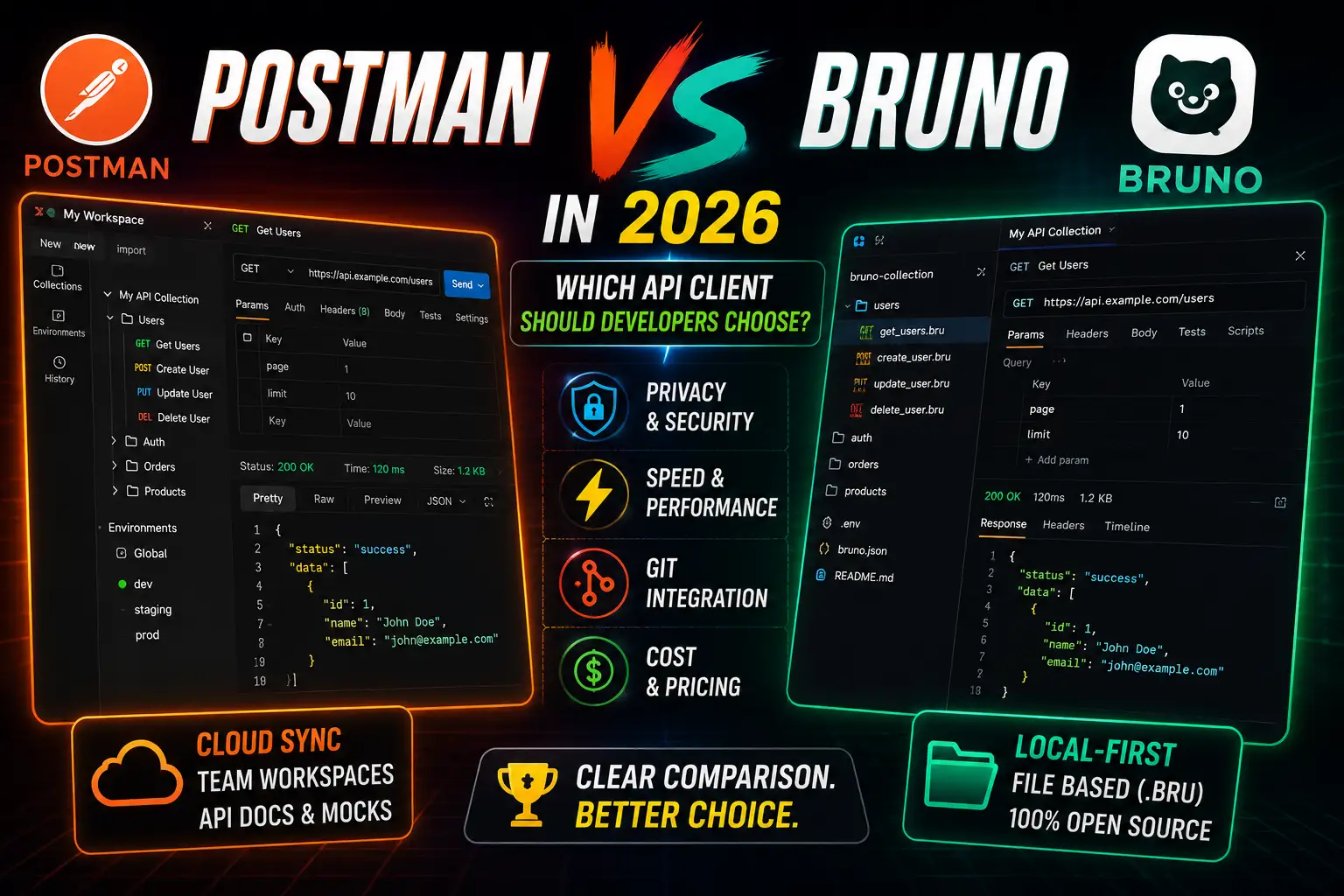
Postman vs Bruno in 2026: Which API Client Should Developers Choose?
API clients are one of the most-used tools in a developer's daily workflow, and for years Postman had the category largely to itself. That changed when Bruno arrived — a local-first, open-source API client that stores collections as plain text files on disk and integrates natively with Git. In 2026, both tools are actively maintained and genuinely capable. The choice between them isn't about which one works — it's about which one fits how your team works. This guide compares both tools across every dimension that matters so you can make that call clearly.
Quick Comparison: Postman vs Bruno
| Category | Postman | Bruno | Winner |
|---|---|---|---|
| Local-first storage | Cloud-based sync | Files on disk (.bru format) | Bruno |
| Git integration | Manual export required | Native — collections are plain files | Bruno |
| Startup speed | Slower (Electron + cloud) | Fast (lightweight Electron) | Bruno |
| Memory usage | Higher | Lower | Bruno |
| Team collaboration | Built-in workspaces, comments, roles | Git-based collaboration | Postman |
| API documentation | Auto-generated, published portals | Minimal built-in docs | Postman |
| GraphQL support | Full support | Full support | Tie |
| REST support | Full support | Full support | Tie |
| Scripting / automation | JavaScript pre/post scripts | JavaScript pre/post scripts | Tie |
| Environment management | Cloud-synced environments | Local .env files | Tie (preference-dependent) |
| Offline support | Limited (requires login) | Full offline capability | Bruno |
| Privacy | Data synced to Postman cloud | All data stays local | Bruno |
| Pricing | Free tier + paid plans ($19+/user/mo) | Free and open source (MIT) | Bruno |
| Ecosystem maturity | Large, established | Growing, active community | Postman |
| Cross-platform | Windows, macOS, Linux, Web | Windows, macOS, Linux | Postman |
What Is Postman?
Postman is a cloud-first API platform founded in 2014 and now used by millions of developers worldwide. It began as a Chrome extension for sending HTTP requests and has since grown into a full platform covering API design, testing, documentation, mocking, monitoring, and team collaboration. Collections are stored in Postman's cloud by default, accessible from any device with a login. The desktop application is built on Electron and supports REST, GraphQL, WebSocket, gRPC, and SOAP. Postman also offers a web interface, which Bruno currently does not.
Postman's greatest strength is its ecosystem: published API documentation portals, shared workspaces with role-based access, built-in mock servers, and integrations with CI/CD pipelines through its CLI tool, Newman. For teams that need non-technical stakeholders to access API documentation or trigger test runs without touching a terminal, Postman provides that infrastructure out of the box.
What Is Bruno?
Bruno is an open-source API client, first released in 2022 and rapidly gaining adoption in the developer community. Its defining architectural decision is that collections are stored as plain text files on your local filesystem using a custom format called Bru — readable, diffable, and committable to any version control system without an export step. There is no mandatory account, no cloud sync, and no subscription required for any core functionality.
Bruno is built by the developer community to address a specific frustration: as Postman moved more features behind paid plans and cloud sync, developers who wanted a simple, private, fast tool for sending API requests had no well-maintained alternative. Bruno fills that gap deliberately. It runs entirely offline, integrates with Git naturally, and has an active open-source community on GitHub.
Local-First vs Cloud-First: The Fundamental Difference
This is the axis on which every other comparison pivots. Postman's cloud-first design means your collections, environments, and team workspaces live on Postman's servers. This enables instant sharing, team comments, real-time collaboration, and published documentation portals — but it also means a Postman login is required to access your own collections, and all request data (including headers, credentials used in environments, and body payloads) leaves your machine.
Bruno's local-first design means your collections are folders of .bru files on your local disk. No account, no sync, no data transmission to a third-party server. You open the folder in Bruno the same way you open a project in VS Code. This makes Bruno significantly better for sensitive internal APIs, regulated industries, and development environments where external data transmission is restricted.
Git Integration
This is where Bruno holds its clearest advantage. Because Bruno collections are plain text files, version-controlling an API collection is identical to version-controlling source code. You commit a .bru file the same way you commit a controller or a migration.
# A Bruno collection lives as files in your project repository
my-laravel-api/
├── app/
├── routes/
└── bruno/
    ├── environments/
    │   ├── local.bru
    │   └── staging.bru
    ├── auth/
    │   ├── login.bru
    │   └── refresh-token.bru
    └── users/
        ├── get-users.bru
        ├── create-user.bru
        └── delete-user.bru
With this structure, API collection changes are reviewed in the same pull request as the API changes they test. Branches represent feature branches. Diffs are human-readable. Merge conflicts are resolvable in any standard Git tool.
Postman supports a Git Sync feature, but it requires the Team plan or higher and works through Postman's own synchronization layer rather than a direct filesystem mapping. The result is less transparent and less flexible for teams that already have a Git workflow they trust.
Winner: Bruno — Git integration is native, transparent, and requires no additional plan or configuration.
API Testing and Scripting
Both tools support JavaScript pre-request and post-response scripts. The scripting models are similar enough that a developer familiar with one can adapt to the other quickly.
// Bruno test script — verify a successful user creation response
test("Status is 201", function () {
  expect(res.status).to.equal(201);
});

test("Response contains user ID", function () {
  const body = res.getBody();
  expect(body.data.id).to.be.a("number");
});

test("Response time under 500ms", function () {
  expect(res.responseTime).to.be.below(500);
});
// Postman test script — equivalent assertions
pm.test("Status is 201", function () {
pm.response.to.have.status(201);
});
pm.test("Response contains user ID", function () {
const body = pm.response.json();
pm.expect(body.data.id).to.be.a("number");
});
pm.test("Response time under 500ms", function () {
pm.expect(pm.response.responseTime).to.be.below(500);
});Postman's scripting ecosystem is more mature — it has a larger library of community-shared test snippets, broader documentation, and supports running collections in CI/CD pipelines via Newman. Bruno has a CLI runner too, allowing headless test runs in pipelines, but the community script library is smaller.
Authentication and Request Examples
// Bruno — Bearer token authentication (GET request)
meta {
  name: Get User Profile
  type: http
  seq: 1
}

get {
  url: {{baseUrl}}/api/user/profile
  body: none
  auth: bearer
}

auth:bearer {
  token: {{ACCESS_TOKEN}}
}

// Bruno — POST request with JSON body
meta {
  name: Create Order
  type: http
  seq: 2
}

post {
  url: {{baseUrl}}/api/orders
  body: json
  auth: bearer
}

auth:bearer {
  token: {{ACCESS_TOKEN}}
}

body:json {
  {
    "product_id": 42,
    "quantity": 3,
    "shipping_address": "123 Main St"
  }
}
The Bru format is intentionally readable and editable in any text editor — useful when you want to quickly modify a request in VS Code without opening the Bruno GUI. Postman collections are stored as JSON and are technically editable but are not designed for human editing outside the application.
Environment Management
Both tools support named environments with variable substitution. In Postman, environments are cloud-synced objects in your workspace. In Bruno, they are .bru files in an environments/ folder inside your collection directory — committable to Git and shareable as part of the project repository without any extra steps.
Important Note: Bruno's environment files store variables as plain text. Secret variables (API keys, tokens) should be kept in a separate .env file that is gitignored, not committed to the repository. Bruno supports this pattern natively through its secret variable handling.
| Feature | Postman | Bruno |
|---|---|---|
| Environment storage | Postman cloud | Local .bru files |
| Git-committable | Requires Git Sync (paid) | Yes, out of the box |
| Secret variable handling | Secret type in UI, cloud-encrypted | Separate .env file (gitignored) |
| Multiple environments | ✓ | ✓ |
| Environment switching | Dropdown in UI | Dropdown in UI |
Team Collaboration
This is Postman's strongest category. Shared workspaces allow teams to collaborate on collections in real time, leave comments on specific requests, assign roles (Admin, Editor, Viewer), and control access at the workspace level. API documentation can be published to a public or private portal with one click. Mock servers let frontend developers work against an API contract before the backend is built. These features require a paid Team or Enterprise plan but are well-built and widely used across professional engineering organizations.
Bruno's collaboration model relies on Git — the collection lives in the repository and team collaboration happens through pull requests, branch review, and merge workflows. This is excellent for developer-only teams already using Git as their primary coordination mechanism. It's less accessible for non-developer stakeholders who need to browse or use API documentation without a technical setup.
Winner: Postman — for teams with non-developer stakeholders, published documentation requirements, or real-time collaboration needs. For pure developer teams already on Git, Bruno's collaboration model is sufficient and arguably more auditable.
Performance, Offline Support, and Privacy
| Metric | Postman | Bruno | Winner |
|---|---|---|---|
| Cold startup time | 5–15 seconds typical | 2–5 seconds typical | Bruno |
| Memory usage (idle) | 300–600MB typical | 100–250MB typical | Bruno |
| Offline capability | Limited — login and initial sync required | Full — no network required at any point | Bruno |
| Request data leaves machine | Yes — synced to Postman servers | No — stays local | Bruno |
| Compliance suitability | Depends on Postman's data processing agreements | No third-party data processing | Bruno |
For developers working on government contracts, financial systems, healthcare APIs, or any environment with strict data residency requirements, Bruno's local-first model is often the only viable option. Postman does offer enterprise data residency options, but these require negotiated contracts and significantly higher pricing.
Pricing Comparison
| Plan | Postman | Bruno |
|---|---|---|
| Free tier | Limited workspaces, 3 users, 25 mock call limit | Fully featured, no limits |
| Basic / Pro | $19/user/month | N/A — open source |
| Enterprise | Custom pricing | N/A — self-hosted as needed |
| Git Sync | Requires paid plan | Native, always free |
| CLI runner | Newman (free, open source) | Bruno CLI (free, open source) |
| Offline access | Free tier (limited) | Free, always full |
Winner: Bruno — for any individual developer or team where the paid Postman feature set isn't required, Bruno's total cost of ownership is zero.
Learning Curve
Postman has more features, which means more to learn — but it also has more documentation, video tutorials, and community resources. A developer new to API testing will find Postman easier to get started with simply because of the volume of available guides. Bruno's interface is clean and intentionally simpler; experienced developers often prefer it, but its smaller community means fewer tutorials and community solutions to search through when something unusual comes up.
Advantages and Disadvantages
| Postman | Bruno | |
|---|---|---|
| Advantages | Mature ecosystem, team workspaces, published docs, mock servers, web interface, large community | Local-first, Git-native, offline, privacy-preserving, fast, free, open source |
| Disadvantages | Cloud dependency, data privacy concerns, paid plans for key features, heavier resource usage | Smaller community, no built-in doc portal, no web interface, newer ecosystem |
Which Tool Should You Choose?
| Developer Type | Recommended Tool | Reason |
|---|---|---|
| Beginners | Postman | More documentation, tutorials, and community support |
| Solo developers | Bruno | Free, local, lightweight, Git-friendly with zero setup overhead |
| Freelancers | Bruno | No subscription cost, collections stored alongside client project repos |
| Startup teams (developer-only) | Bruno | Git-based collaboration fits engineering-first workflows |
| Startup teams (with non-dev stakeholders) | Postman | Published documentation and shared workspaces serve mixed audiences |
| Enterprise teams | Postman | Role-based access, SSO, data residency options, compliance tooling |
| Open-source contributors | Bruno | Collections commit directly to project repositories alongside source code |
| Security-sensitive environments | Bruno | Zero external data transmission |
Frequently Asked Questions
Can I migrate from Postman to Bruno?
Yes. Bruno supports importing Postman collections directly — you export your Postman collection as a JSON file and import it into Bruno. Environments can be migrated manually. Request scripts will generally transfer without modification since both use JavaScript.
Does Bruno support GraphQL?
Yes. Bruno fully supports GraphQL queries, mutations, and subscriptions alongside REST. The experience is comparable to Postman for standard GraphQL workflows.
Is Bruno safe to use with sensitive API credentials?
Yes, with proper configuration. Keep secret variables in a .env file added to .gitignore rather than in the committed environment file. Bruno's secret variable system is designed specifically for this pattern.
Does Postman work offline?
Partially. After an initial login and sync, Postman can be used offline for a period, but full functionality requires periodic re-authentication and network access. It is not designed as an offline-first tool.
Can Bruno be used in CI/CD pipelines?
Yes. Bruno's CLI runner (bru run) can execute collection requests and test scripts headlessly in any CI/CD environment — GitHub Actions, GitLab CI, Jenkins, and others — in the same way Newman runs Postman collections.
# Running a Bruno collection in CI (GitHub Actions example)
- name: Run API tests
  run: |
    npm install -g @usebruno/cli
    bru run --env staging --reporter junit bruno/
  env:
    ACCESS_TOKEN: ${{ secrets.STAGING_API_TOKEN }}
What is the .bru file format?
Bru is a plain-text format designed to be human-readable without needing to open Bruno. A .bru file contains the request method, URL, headers, body, authentication, and test scripts in a structured but non-JSON format that diffs cleanly in Git.
Final Verdict
Postman and Bruno are not competing for the same user in 2026. Postman is a platform — it covers API design, testing, mocking, documentation, and team collaboration in one subscription-gated service. Bruno is a tool — focused, fast, local, and free. If you need published documentation portals, non-developer stakeholders in your API workflow, or enterprise-grade access controls, Postman earns its cost. If you want an API client that integrates naturally into a Git-based engineering workflow, runs without a cloud account, respects privacy, and costs nothing, Bruno is the better choice for most developers in 2026.
Our recommendation: Start with Bruno if you are a solo developer, freelancer, or developer-led team. Evaluate Postman if your workflow requires team documentation portals, mock servers, or non-technical stakeholder access. Both tools are production-ready and actively maintained — the decision comes down to workflow fit, not capability.
Key Takeaways
- Bruno is local-first and Git-native — collections are plain text files that commit, diff, and merge like any other code.
- Postman is cloud-first and platform-complete — best when teams need documentation portals, shared workspaces, or role-based access.
- Bruno's entire feature set is free — no limits, no account required, no subscription for Git sync or CLI access.
- Postman's free tier is functional but key features (Git Sync, mock servers at scale, team workspaces) require paid plans.
- For security-sensitive or compliance-regulated workflows, Bruno's zero-external-transmission model is a clear advantage.
- Bruno's scripting model and request format are familiar enough that Postman users can transition without significant relearning.
- Both support REST, GraphQL, and CI/CD pipeline integration through their respective CLI tools.
References
- Postman – Official Documentation
- Bruno – Official Documentation
- Bruno – GitHub Repository (MIT License)
- Postman – Pricing Page
- Bruno CLI – npm Package
- Newman (Postman CLI) – npm Package
- Postman – Writing Test Scripts
- Bruno – Testing Documentation
- Bruno – Git Integration Documentation
- Postman – Git Sync Overview
Comments
0 comments
No comments yet
Start the discussion with a thoughtful note.