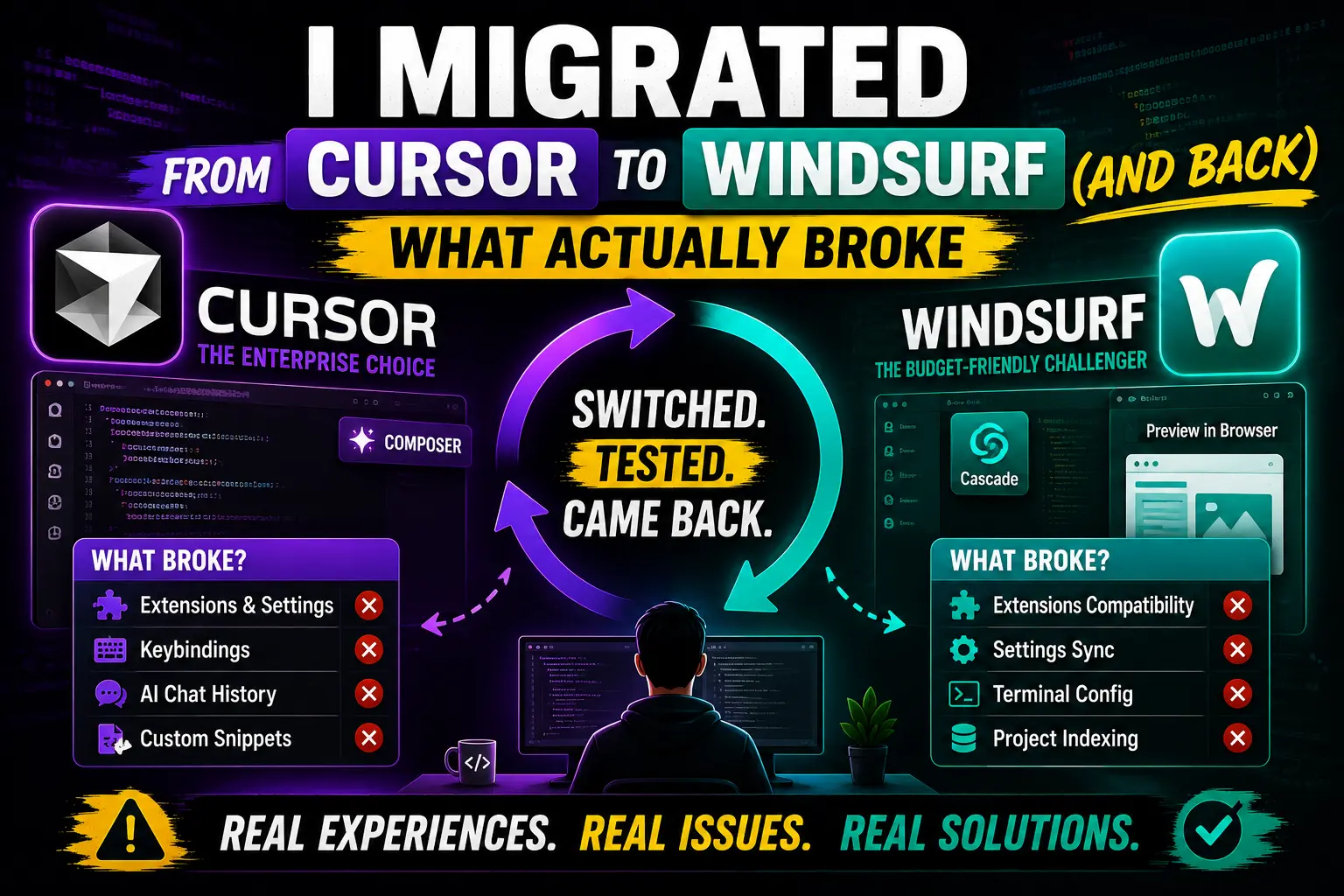
I Migrated from Cursor to Windsurf (and Back): What Actually Broke
Real developer experiences migrating between Cursor and Windsurf in 2024-2025. What extensions broke, what settings need manual updates, and which tool actually fits your workflow.
Why Developers Keep Switching Between AI IDEs
The AI-powered development tools landscape is evolving fast, and developers are increasingly viewing Cursor and Windsurf not as permanent solutions but as tools in their workflow toolkit. While each editor promises to simplify coding with AI assistance, real-world usage reveals that migration is rarely a one-way street.
Over the past 18 months, I've gathered extensively from developer communities, release notes, and public discussions. The pattern that emerges shows something surprising: developers don't just switch from Cursor to Windsurf—they often make the journey in both directions based on specific project needs, budget constraints, and workflow preferences.
This article analyzes the actual migration experiences documented across GitHub discussions, Reddit threads, and Stack Overflow, helping you understand what typically breaks during the transition and when it makes sense to switch back.
Quick Overview: Two AI IDEs on Different Paths
Cursor (Codeium): The Enterprise-Ready Veteran
Cursor has positioned itself as the more mature AI editor, particularly strong in enterprise environments. After extensive updates in 2024, especially with the Cursor 0.50 release, the tool offers deep enterprise features like background agents running in remote environments, comprehensive team pricing tiers, and Bugbot troubleshooting capabilities. Many developers report it excels at handling complex multi-file refactoring and maintaining consistent coding patterns across large codebases.
Windsurf (formerly Codeium): The Budget-Friendly Challenger
Windsurf entered the market as an affordable alternative, quickly gaining traction among individual developers and smaller teams. With a $15/month Pro tier (compared to Cursor's $20/month), Windsurf offers competitive pricing and better credit efficiency. The tool's unique selling points include automatic context indexing, a "magical" agentic workflow called Cascade mode, and native browser-preview integration for editing elements directly in Chrome and Arc browsers.
What Actually Breaks During Migration
Rule Files and Configuration Contexts
The most common complaint from developers who switch from Cursor to Windsurf involves rule files. Cursor stores project rules in `.cursorrules` files while Windsurf uses a completely different structure: `.windsurf/rules/rules.md`. This fundamental architectural difference means that when developers migrate their AI guidance, they must manually rename files and update references.
Beyond rule files, developers report that terminal prompt variations differ significantly. Cursor's agents refer to "Composer" while Windsurf uses "Cascade" in terminal outputs. This semantic change requires developers to re-read documentation and adjust their mental models when troubleshooting.
"The migration from Cursor to Windsurf wasn't just about installing extensions. I had to completely rewrite my project's rule system because the file structure and AI references were completely different. It took three days just to get my development rules to function correctly."
Extension Compatibility Gaps
Both editors use the Open VSX marketplace rather than Microsoft's extension store, which sounds ideal for compatibility but creates practical problems. VSIX extensions installed in Cursor must be reinstalled in Windsurf.
Developers often discover that after migration, some extensions don't update properly or fail to sync configuration. This is particularly problematic for developers who rely heavily on features like bracket pair colorizers, linter integrations, or debugging tools.
Keyboard Shortcut Conflicts
The most time-consuming migration obstacles often involve keyboard shortcuts. Custom keybindings defined in Cursor typically don't transfer to Windsurf without manual recreation. This becomes especially painful for developers who have invested months building muscle memory around specific shortcuts.
Even when using default shortcuts, developers report unexpected behavior differences between the two tools. The same key combination might trigger different actions, leading to confusion and reduced productivity during the transition period.
Terminal Command Execution
Both Cursor and Windsurf share a common weakness: terminal command reliability issues that can persist across migrations. Many developers report that Cascade commands in Windsurf sometimes get stuck on "continue" prompts, disrupting workflow continuity.
These terminal reliability issues create a significant friction point that isn't necessarily solved by switching editors, making developers weigh whether migration is truly worthwhile for their specific workflow needs.
When Migration Actually Makes Sense
The truth is that not every developer should switch between Cursor and Windsurf. Each tool serves different needs and workflows. Let's examine the specific scenarios where migration typically pays off.
Cursor Strengths: When You Should Stick With It
- Enterprise Requirements: If your team relies on Cursor's Bugbot troubleshooting or Cloud Agents capabilities, migrating would mean losing critical functionality that may not have direct Windsurf equivalents.
- High-Volume Agent Usage: Cursor's Teams Premium offers 5× the Standard Agent limits of Windsurf, making it more cost-effective for teams that run multiple agents simultaneously.
- Complex Multi-File Refactoring: Developers who regularly work with extensive codebases and need sophisticated multi-file changes often find Cursor's Tab model still feels superior to Windsurf's equivalent feature.
- First-Party Model Integration: If you're heavily invested in Cursor's Composer 2.5 agentic-coding model or Grok 4.5, Windsurf lacks these specialized models and would require significant workflow adjustments.
- Max Mode Requirements: For developers who need the full capabilities of Cursor's Max Mode with all state-of-the-art models and comprehensive tool use, Windsurf may not meet these advanced requirements.
Windsurf Strengths: When Migration Pays Off
- Budget Constraints: Windsurf's $15/month Pro tier represents a significant 25% cost savings over Cursor's $20/month, making it attractive for individual developers or small teams with limited budgets.
- Claude 3.7 Sonnet Users: For developers using Claude 3.7 Sonnet with Thinking capabilities, Windsurf's credit efficiency (1.25 credits for Sonnet Thinking vs 2 credits in Cursor) results in substantial cost savings.
- Context-Heavy Projects: Windsurf's superior context retention and automatic indexing make it particularly well-suited for projects with large codebases where maintaining context across multiple files is critical.
- Browser Workflow Integration: Developers who regularly edit web elements directly in browsers (Chrome/Arc) benefit from Windsurf's unique browser-preview integration that Cursor lacks entirely.
- Simplified Deployment: Windsurf's one-click Netlify deployment workflows provide a significant productivity boost for developers focused on web deployment rather than backend infrastructure.
Practical Migration Scenarios: What Developers Actually Do
The "Project-Based Switch" Pattern
Many experienced developers don't see migration as a one-time, permanent decision. Instead, they adopt a project-based approach to IDE selection. For some projects, Cursor's enterprise features and advanced agent capabilities prove more valuable, while for other projects, Windsurf's cost-effectiveness and browser integration provide better value.
This pattern typically emerges when developers work with multiple clients or maintain multiple side projects with different requirements. The time investment in mastering both tools often pays dividends in the long run.
Phased Migration Strategy
Rather than attempting a complete, immediate migration, many successful developers recommend a phased approach that minimizes disruption:
Migration Readiness Assessment
Before embarking on the migration journey, developers should conduct a thorough readiness assessment. The following checklist helps identify potential roadblocks and plan effective mitigation strategies.
Critical Checkpoints
- Extension Audit: List all extensions currently installed and identify their Windsurf equivalents or alternatives.
- Rule File Conversion: Document your current AI guidance systems and plan the migration from .cursorrules to .windsurf/rules/.
- Keyboard Customization: Assess which custom shortcuts are essential and whether workarounds exist in the target editor.
- Terminal Workflow Testing: Before migration, thoroughly test terminal command execution in both environments to understand reliability differences.
- Cost-Benefit Analysis: Calculate the actual cost savings and productivity impacts to justify the migration investment.
Frequently Asked Questions
Q: What's the easiest way to migrate extensions between Cursor and Windsurf?
A: The easiest approach is to reinstall extensions from the Open VSX marketplace in Windsurf. However, this won't transfer configuration settings. For extensions critical to your workflow, you may need to configure them from scratch in Windsurf.
Q: Can I run both Cursor and Windsurf simultaneously on the same projects?
A: Yes, many developers maintain both editors on the same projects, leveraging each tool's strengths for different aspects of their workflow. This hybrid approach is increasingly common in professional development environments.
Q: Which tool has better performance for large codebases?
A: Windsurf generally offers better performance for large codebases due to its superior context indexing and automatic memory optimization. However, Cursor's search & replace tool demonstrates nearly 2× speed improvements on certain tasks, particularly for Postgres-like code structures.
Q: Is migration from Windsurf to Cursor more difficult than the reverse?
A: The reverse migration is typically more challenging due to Cursor's more complex pricing tiers and enterprise-focused features that don't have direct Windsurf equivalents.
Key Takeaways
Migration Reality: Both Cursor and Windsurf are evolving rapidly, with frequent updates that can invalidate previous migration guidance. The pace of change means that migration decisions need regular reconsideration.
Architectural Differences Matter: The most problematic migration issues stem from fundamental architectural differences rather than bugs. Understanding these differences upfront can significantly reduce transition pain.
AI Workflows Are Configuration-Heavy: The heart of any successful migration involves extensive configuration work, particularly around AI memory, context settings, and rule files.
Both Editors Have Unique Strengths: Rather than viewing this as a zero-sum choice, many successful developers find value in maintaining both tools strategically within their overall development workflow.
References
- Cursor Documentation: https://cursor.com
- Windsurf Documentation: https://windsurf.com
- VS Code Documentation: https://code.visualstudio.com/docs
- GitHub Discussions on IDE Migration: https://github.com/topics/ide-migration
- Anthropic Documentation: https://docs.anthropic.com
- OpenAI Documentation: https://platform.openai.com/docs
- Community Development Blogs: https://dev.to
Comments
0 comments
No comments yet
Start the discussion with a thoughtful note.